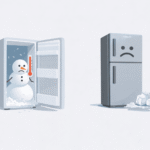
Coming home to a Samsung fridge not cooling and finding spoiled food inside, is every homeowner’s nightmare. Whether your Samsung refrigerator is not getting cold, stopped cooling without warning, or simply will not cool the way it should, the frustration is real: ruined groceries, disrupted meal prep, and the looming dread of expensive repair bills. If you’re looking for reliable fridge repair in Delhi or simply need a trusted fridge repair near me, this guide will also help you understand what’s wrong before a technician arrives so you’re never in the dark.
The good news? Many cases where a Samsung refrigerator does not cool are caused by simple, fixable issues — and you may not need a technician at all. This guide walks you through 10 proven fixes, from a 2-minute power reset to cleaning condenser coils, so you can resolve a fridge not cooling problem quickly and confidently.
The 2-Minute Quick Fix: Unplug your Samsung fridge for 2 full minutes (or flip the circuit breaker), then plug it back in. This power cycle triggers a self-test and resolves up to 40% of Samsung refrigerator not cooling issues caused by temporary electronics glitches. Check the display for error codes after restarting.
In this guide, we cover everything from error code diagnostics and settings checks to door seal tests, airflow improvements, frost fixes, and when it’s time to call a professional, all based on Samsung’s official troubleshooting steps.
What You’ll Learn
- Fix 1: Check for Error Codes First
- Fix 2: Verify Temperature Settings
- Fix 3: Disable Demo / Cooling Off Mode
- Fix 4: Inspect Doors and Seals
- Fix 5: Improve Airflow and Clearance
- Fix 6: Clean the Condenser Coils
- Fix 7: Check the Evaporator Fan
- Fix 8: Defrost the Freezer
- Fix 9: Inspect the Start Relay
- Fix 10: Call a Certified Technician
Fix 1: Check for Error Codes First
The first step when your Samsung refrigerator wont cool is to power cycle the unit and read any error codes. Unplug for 2 full minutes, then restore power, the control board runs a self-test and flashes fault codes if a problem is detected.
Key Samsung error codes for cooling problems:
- 21E / 22E — Evaporator or condenser fan error, often caused by frost blocking the fan blades
- 88 / 83E — Power surge or main control board fault
- OF OF — Cooling Off Mode is active (see Fix 3)
- 41C — Software or firmware issue; update via SmartThings or Fridge Manager app on Family Hub models
If error codes persist after a reset, note them before calling support, they’ll speed up diagnosis significantly. If you need hands-on help reading your fridge’s error codes, a qualified fridge repair technician can run a full diagnostic for you.
Fix 2: Verify Temperature Settings
A Samsung refrigerator not getting cold is sometimes caused by nothing more than incorrect temperature settings especially after a power outage or accidental button press. Samsung recommends 37°F (3°C) for the fridge compartment and 0°F (-18°C) for the freezer.
After changing the temperature or loading a large amount of groceries, allow up to 24–28 hours for your Samsung fridge to stabilize. The display may not reflect the actual internal temperature for up to 4 hours after any adjustment, so don’t panic too soon.
Fix 3: Disable Demo / Cooling Off Mode
One of the most overlooked reasons a Samsung refrigerator does not cool is that it has accidentally been put into Demo Mode, also called Cooling Off Mode or Shop Mode. In this state, the display and lights work normally, but the compressor is completely disabled. The fridge will not cool at all.
How to disable Demo Mode:
- Press and hold the top two left buttons on the control panel simultaneously for 5–8 seconds
- On newer panel models, hold three buttons for the same duration
- Wait for a chime or a display change, this confirms Cooling Off Mode is deactivated
- Alternatively, use the SmartThings app to check and toggle cooling settings remotely
Also check whether Power Cool mode is active. If the Power Cool indicator is glowing, hold the Fridge button for 3 seconds to disable it, as this can disrupt normal cooling cycles.
Fix 4: Inspect Doors and Seals
Worn or dirty door gaskets are a major reason a samsung fridge not cooling properly, even when the compressor is running. If the seal isn’t airtight, warm air constantly seeps in, causing excessive frost buildup and forcing the compressor to overwork, until temperatures can no longer be maintained.
The Dollar Bill Test:
Close the fridge door on a dollar bill with half inside and half outside. If you can pull the bill out easily, the seal is not gripping properly. Repeat this test around all four sides of each door.
What to do:
- Clean gaskets with warm, soapy water and a soft cloth, dirt and food residue prevent a proper seal
- Dry thoroughly, then retest with the dollar bill
- Level the fridge side-to-side to ensure full gasket contact on every edge
- If the seal is cracked, warped, or damaged, replace it, gaskets are a straightforward DIY repair with parts available through Samsung’s website or local suppliers
Not sure if your door seal is the culprit? Sometimes the issue lies deeper, with the evaporator, compressor, or control board. If the DIY steps above haven’t helped, you can always get a proper assessment from a fridge repair expert rather than spending time guessing.
Fix 5: Improve Airflow and Clearance
Poor airflow is a surprisingly common cause of a Samsung refrigerator fridge not cooling properly. Without enough space around the unit to dissipate heat from the condenser, the fridge has to work harder and still struggles to stay cold.
External clearance guidelines:
- Leave at least 2 inches of clearance on the sides, top, and rear of the fridge
- Keep the fridge away from heat sources like ovens, dishwashers, or direct sunlight
- Ambient room temperature below 55°F (13°C) can interfere with cooling, keep the fridge in a climate-controlled space
Internal airflow tips:
- Aim for about two-thirds full, with food organized so air can circulate freely
- Never block the internal vents with bulky containers or produce bins
- Avoid placing watery or uncovered items directly against the rear wall
Fix 6: Clean the Condenser Coils
Dirty condenser coils are one of the leading reasons a Samsung refrigerator stopped cooling over time. The coils, located at the rear or underneath the fridge, release heat from the refrigerant into the room. When coated in dust and pet hair, they can’t do their job, and the fridge gradually warms up.
How to clean the coils:
- Unplug the fridge before you begin
- Locate the coils, check your model’s manual, as placement varies (rear or behind a bottom kickplate)
- Use a coil brush or vacuum with a brush attachment to gently remove dust buildup
- Clean every 6–12 months, or more frequently if you have pets
After cleaning, plug the fridge back in and allow up to 24 hours for temperatures to stabilize. Many samsung fridge not cooling complaints are fully resolved by this step alone, it’s one of the easiest and most impactful maintenance tasks you can do.
Fix 7: Check the Evaporator Fan
The evaporator fan circulates cold air from the freezer into the fridge compartment. If this fan is blocked by ice or has failed, your Samsung fridge will not get cold, even if the freezer is working fine. This is the classic trigger for error codes 21E and 22E.
- Listen for unusual noises from the freezer, grinding or buzzing often signals a fan blade blocked by ice
- Open the freezer and locate the fan panel at the rear wall
- If the fan is not spinning, manually defrost the fridge (see Fix 8) and retest
- A fan that still won’t run after defrosting likely needs to be replaced
Fix 8: Defrost the Freezer
Excessive frost in the freezer can block airflow and stop cold air from reaching the fridge compartment, especially if the auto-defrost system has failed. If your Samsung refrigerator will not cool but the freezer feels solid and heavily iced, frost blockage is a strong possibility.
Manual defrost steps:
- Remove all food and transfer it to a cooler with ice
- Unplug the refrigerator completely
- Leave both doors open and lay towels on the floor to absorb meltwater
- Allow 24–48 hours for all frost to melt naturally, never use heat guns or sharp objects
- Dry the interior thoroughly, plug back in, and allow the fridge to reach target temperature before reloading food
Fix 9: Inspect the Start Relay
The start relay is a small component that helps the compressor kick into action each cooling cycle. A faulty relay is a common reason a Samsung refrigerator stopped cooling completely, the compressor simply won’t start without it. You can test it yourself with no special tools.
- Unplug the fridge and pull it away from the wall
- Remove the rear access panel to locate the compressor
- The start relay is a small part plugged into the side of the compressor, pull it out
- Shake it: if you hear a rattle, the relay is defective and needs replacing
- Replace with an OEM-compatible relay, they’re inexpensive and widely available online
If you’ve reached Fix 9 and your Samsung refrigerator still won’t cool, the problem is likely a hardware component that needs professional diagnosis. Rather than replacing parts through trial and error, it’s often more cost-effective to have a fridge repair specialist run a proper assessment, especially for compressor or control board issues.
Fix 10: Call a Certified Technician
If you’ve worked through all nine fixes and your Samsung refrigerator does not cool, it’s time to call in a professional. Problems like a failed compressor, refrigerant leak, or main control board failure require specialist equipment to diagnose and fix safely, these aren’t DIY territory.
Call a pro when:
- The compressor never runs or makes a clicking sound even after replacing the start relay
- Your fridge is under 5 years old, Samsung may cover repairs under warranty
- Error codes persist after all DIY fixes
- You notice signs of a refrigerant leak, oily residue near the compressor or a faint sweet chemical smell
For professional fridge repair, always choose a Samsung-certified technician to ensure genuine parts and warranty-compliant service. Check whether your model is still under warranty before paying out of pocket.
Final Thoughts
A Samsung fridge not cooling is a frustrating problem, but in most cases it’s one you can diagnose and resolve at home. Start with the quick power cycle and error code check, then systematically work through settings, seals, airflow, coil cleaning, and hardware components. The majority of fridge not cooling issues are solved well before you reach Fix 10.
Still stuck after trying everything? Don’t let a warm fridge drag on, food safety is at stake. Reaching out to a trusted fridge repair professional is often the fastest and most cost-effective path to getting your kitchen back to normal.
Need immediate help? You can reach us directly:
- Call us: 8287874632
- WhatsApp us: Click here to chat on WhatsApp, we usually respond within minutes.
Frequently Asked Questions
1. Why is my Samsung fridge not cooling but the freezer is fine?
This almost always points to a blocked or failed evaporator fan (Fix 7) or frost buildup restricting airflow between compartments (Fix 8). A damaged door seal on the fridge side (Fix 4) can also cause this exact symptom.
2. How long does it take a Samsung refrigerator to cool down after a reset?
Allow up to 24 hours after a power cycle or temperature change for your Samsung fridge to stabilize. The display may not reflect the actual internal temperature for up to 4 hours, so give it time before concluding there’s still a problem.
3. What does it mean if my Samsung refrigerator stopped cooling suddenly?
A sudden stop usually means Demo Mode was accidentally activated, a power surge affected the control board, or the start relay has failed. Start with Fix 1 (power cycle and error codes) and Fix 3 (Demo Mode check) before moving to hardware.
4. Can dirty condenser coils stop a Samsung fridge from cooling?
Yes, clogged coils are one of the most common and overlooked causes of a Samsung refrigerator not getting cold. A thorough coil cleaning (Fix 6) frequently restores full cooling performance without any part replacement at all.
5. When should I stop trying to fix it myself and call a repair service?
If you’ve completed all the fixes above and the fridge still won’t cool, or if you hear unusual compressor sounds and see persistent error codes, it’s time to stop troubleshooting and get professional help. A reliable fridge repair service can quickly identify whether the compressor, refrigerant, or control board is at fault, saving you from unnecessary part purchases.